Show it your buttons, once
Every company sets up their CRM a little differently. So instead of guessing, Ervona asks you to point: click your Email button once, and it remembers where it lives. That's the whole trick.
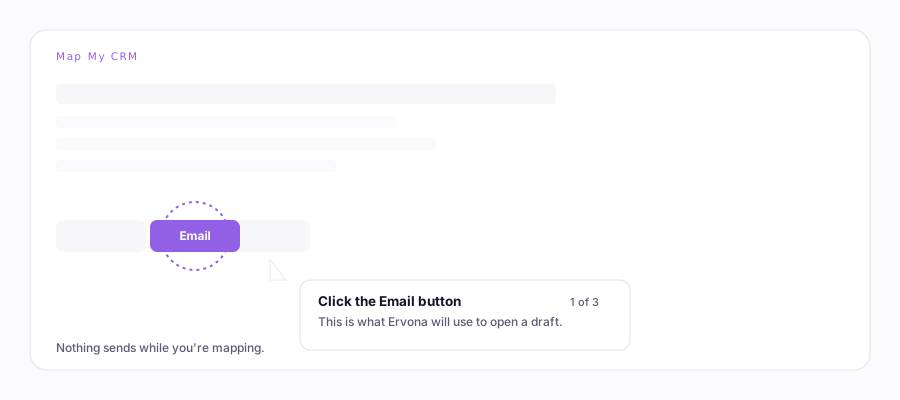
Mapping the email basics
- Open any lead in your CRM.
- Click the Ervona icon → Map My CRM.
- Press Start, then click each thing it points at: your Email button, the To / Subject / message boxes, and Send. Skip anything you don't have.
That's it. Do this once per record type (leads, contacts, opportunities…). Their pages are laid out differently, so each gets its own quick pass. Ervona reminds you with a card when a type still needs it.
Fixing one piece later
Layout changed? One click went to the wrong spot? Go to ervona.ai/account → CRM. Every module shows a red × next to each record type. Click it, and just that piece resets. Everything else stays put. Then map that one piece again in about 20 seconds.
Texting and notes are separate (on purpose)
You only map what you use. Turn on Texting or Notes in the settings CRM tab, and a "Map texting" / "Map notes" card shows up in your CRM. Mapping one never erases another.
Switching to a different CRM org
One CRM per account, on every plan. If you run Map My CRM inside a different org, Ervona asks first: switching permanently erases everything you mapped in the old one. Your templates, rules, and reports are safe. Only the button locations reset.
Mapping is saved to your account, not this computer. Sign in anywhere and it is there. Map once, and you are done.