Add what's missing before you send
Prospecting filters contacts already sitting in your CRM. Lead lists go the other way: bring in a list from outside, and enrichment fills in the gaps, an email, a title, a phone number, before the desk ever reaches out.
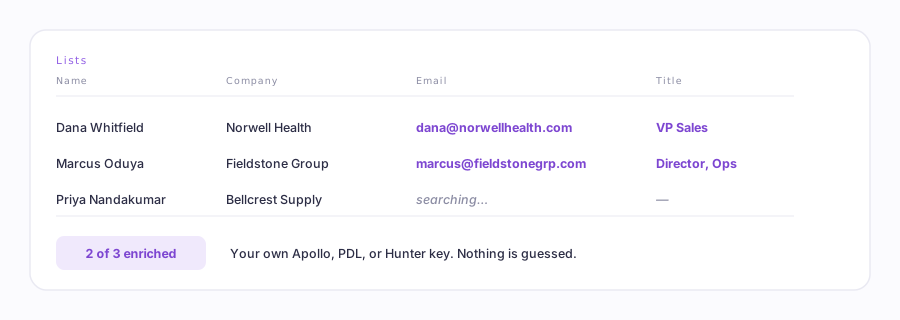
How it works
- Open Lists in the desk and bring in your rows: names, companies, whatever you already have.
- Pick a direction. Find an email takes a name and a company and looks for the address. Find details takes an email and looks for the title, phone, industry, and company size.
- Run it. Rows that found a match get filled in; nothing is guessed or invented for the ones that don't.
- Review the results, then promote the finished rows straight into a campaign.
Bring your own key
Enrichment runs on your own key for Apollo, People Data Labs, or Hunter, not a bundled Ervona credit. Add it under Settings → Data & enrichment → Lead detail. Like every other key you hand Ervona, it's stored write-only: nobody, including you, can pull it back up once it's saved.
Whichever of the three you already use is fine, pick it from the dropdown and paste the key. What that provider charges you for lookups is between you and them; Ervona doesn't mark it up or meter it.
Different from Prospecting
Prospecting builds a filter on fields your CRM already has and hands the desk a read-only set to work. Lists is for the opposite situation: a list you're bringing in from somewhere else, that needs a few real gaps filled before it's ready to become a campaign.