Pause, stop, resume, and retry — safely
Four controls, four different jobs. None of them can cause a duplicate send — that protection is separate from all of them, and it's always on.
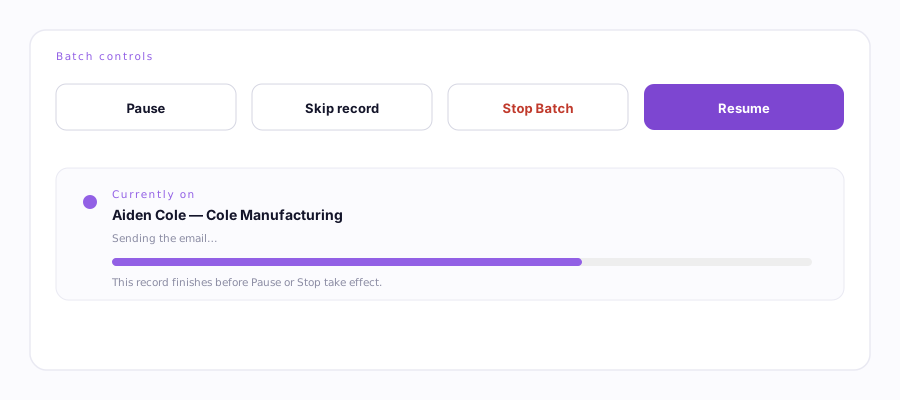
| Control | What it actually does |
|---|---|
| Pause | Finishes the record currently in progress, then holds. Nothing new starts. Resume picks up on the very next record. |
| Resume | Clears the pause and continues from exactly where it left off. |
| Skip record | Jumps past the current lead without sending or logging anything for it. Moves to the next one immediately. |
| Stop Batch | Ends the run at the next safe point — never mid-send. A record that's actually sending is allowed to finish first. |
What happens to the record it's on
Ervona never abandons a record in the middle of pressing Send. A background watchdog gives each record a window to finish; if one genuinely wedges (a slow page, a frozen composer), it's marked as an error and Ervona moves on rather than hanging the whole batch forever. If a step might have gone out but Ervona can't confirm it — no confirmation banner appeared in time, for instance — it's logged as unconfirmed rather than guessed at either way, and the duplicate check below treats it as already-sent so it's never repeated by accident.
How resuming knows what's already done
Progress is saved after every single record, not just at the end. That means:
- Resuming a paused or stopped batch restarts exactly where it left off, not from the top.
- If a batch gets interrupted hard — the tab closes, the computer sleeps — Ervona notices on its own within about a minute, reopens that tab, and resumes automatically. You'll see a toast: "Ervona was interrupted mid-batch — resuming at record N."
Why retry never re-sends what's already gone out
A record that only partly completed (say, the email sent but the CRM note failed to save) goes into a retry queue rather than being treated as fully done or fully failed. Ervona remembers exactly which steps succeeded — email, text, note, status update — as four separate flags per record. When retry runs, it re-checks each one individually and only does the steps still outstanding. The log says it plainly: "Emailed on an earlier pass, skipping the email step" — the email itself is never sent twice.
The short version: pressing Start, Resume, or letting a retry run is always safe. Three separate checks — your own send history, a field on the CRM record, and a server-side record shared across your whole account — run before anything sends, on every attempt, from every device.