Daily use
Point it at a list. Press Start.
This is the heart of automated CRM outreach with Ervona: open a list of leads, press one button, and it works them one by one: writing, sending, logging, and moving to the next.
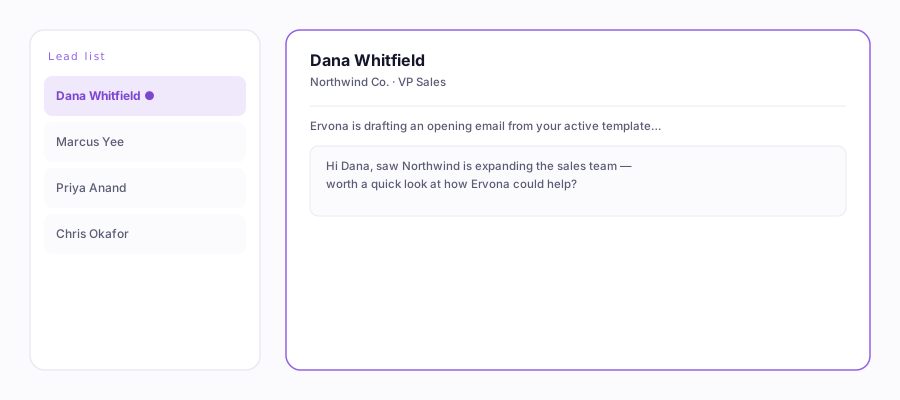
A docked list on the left, the open lead on the right, Ervona working through it.
The three list views that work
- Split view (best): the list stays docked on the left while each record opens on the right. Click one record, then press Start. Ervona walks the list top to bottom (or bottom to top, your pick).
- Table view: Ervona works the rows currently loaded on screen.
- Kanban view: same idea. It works the cards it can see.
Starting a batch
- Open your list and click into a record.
- In the popup, pick your channel: email only, text only, or email + text.
- Press Start Batch. The progress bar and counters update live, and the activity log narrates every step.
Start partway down? Copy a lead's email or company from the table, paste it into the "Start from" box, and Ervona begins there instead of at the top.
Just one person
On any record, hit Send One in the popup, or press ⌘⇧K (Mac) / Ctrl+Shift+K (Windows) from anywhere. Ervona brings your CRM tab forward and sends to just that person.
Pause, skip, stop
- Pause holds the batch right where it is; Resume picks it back up.
- Skip record jumps past the current lead without sending.
- Stop Batch ends the run. Ervona finishes the lead it's on, so nothing is left half-sent.
Walk away. Batches keep running while you're on another tab or another window. The popup badge shows "In CRM · background tab" so you always know it's still going.