Desk · Setup
The desk go-live checklist
The desk runs unattended, so it checks its own readiness constantly, not just once. If it isn't sending, it's because one of these five things isn't true yet — the desk's own health check reads this exact list, in this order.
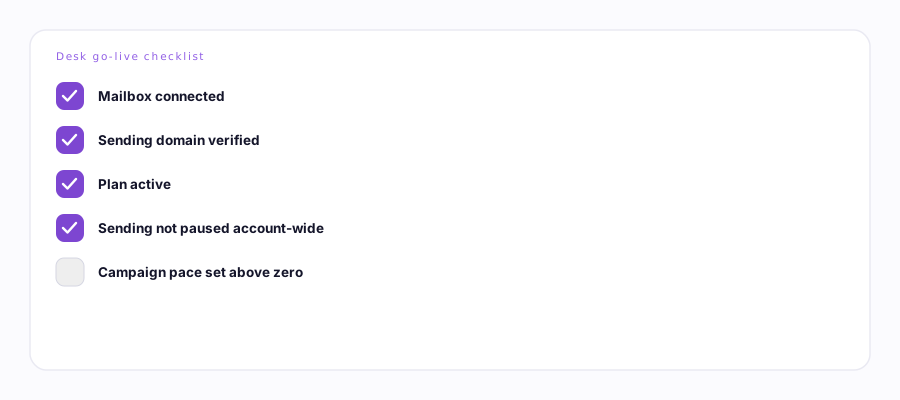
All five, before the first automatic send.
- A mailbox is connected. At least one enabled inbox with a completed OAuth connection. Connecting your mailbox →
- Its sending domain is verified. The domain that mailbox sends from must be ready in your email provider. The desk refuses to send from an unverified domain, on purpose.
- Your plan is active. Desk features need a Desk or Enterprise plan in good standing, not lapsed or past due.
- Sending isn't paused account-wide. The kill switch in Settings, if it's ever been flipped, has to be flipped back.
- Every running campaign has a daily pace set above zero. A campaign with no pace configured simply never sends — it isn't stuck, it's set to zero on purpose until you set one.
Optional, but worth doing before go-live
- Business profile. Without one, AI-personalized first-touch drafting has nothing to work from and holds those sends rather than guess. Ervona Desk overview →
- CRM connected. Not required to send, but it powers pre-send collision checks (don't email someone already in an active deal) and CRM writeback. Without it, those checks simply don't run — nothing blocks sending because of it. HubSpot & Salesforce →
- Persona set up. Name, whether it discloses as AI, reply delay, and approval-first — all optional, all have sensible defaults.
There's no single "you're ready" button. The desk's health check runs on a schedule and emails you if something's actually stuck — it's a safety net, not a pre-flight form. If you want to confirm readiness right before turning a campaign on, this checklist is the pre-flight check.