Mailbox
Connecting your mailbox
This is the "OAuth" people usually mean when they ask about Ervona: press Connect Gmail or Outlook, you're sent to sign in on Google's or Microsoft's own page, and you approve access there. No password ever passes through Ervona. This is separate from connecting a CRM (see HubSpot and Salesforce, which don't use this).
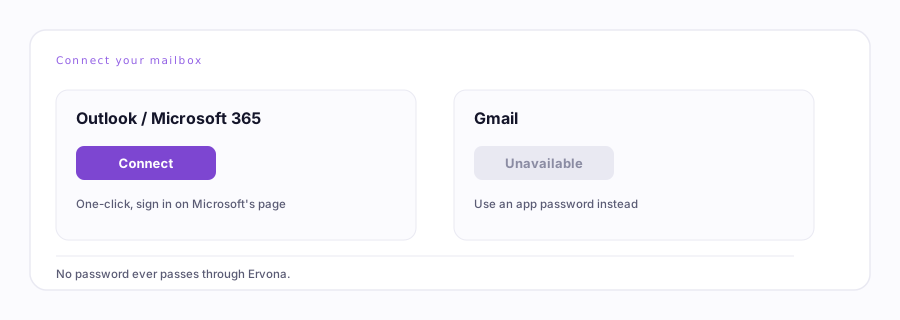
Current status. Updated as it changes, see below.
Current status, honestly
- Outlook / Microsoft 365: one-click connect is up. Press the button, sign in, done.
- Gmail: one-click connect is temporarily down on our mail provider's side, not a problem with your account. The button shows as unavailable. Use Connect Gmail with an app password instead, it does the same job and takes about a minute.
This page changes as it comes back online. If Gmail's button isn't greyed out anymore when you're reading this, one-click connect is back, use it.
What it's for
Two different places use this same one-click connect, and either can hit the Gmail/Outlook status above:
- Your own mailbox, connected for tracking, so replies to mail you send yourself still show up in reports.
- A Desk persona's mailbox, the one it sends and answers from on its own.