When a connected CRM or mailbox disconnects
A mailbox and a CRM connection fail differently, because losing them means different things. Losing the mailbox stops sending outright. Losing the CRM only turns off a few extras — sending keeps going either way — but both are watched, and both email you when they die.
If the mailbox connection dies
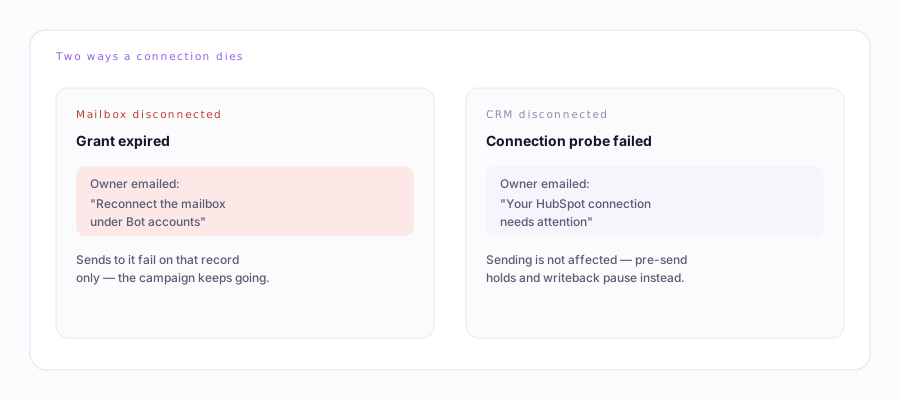
A mailbox that loses its connection (an expired or revoked grant) can't send, obviously. The desk's health check runs on a schedule and, after roughly a day of a mailbox going quiet with no explanation, emails you to reconnect it. It isn't instant — a single failed send during a real outage doesn't page you — but a genuinely dead mailbox won't sit silent for long. In the meantime, any send that hits the dead connection is marked failed on that one record rather than retried forever, and the campaign itself keeps running (it just can't complete that one target).
If the CRM connection dies
A dead HubSpot or Salesforce connection is designed to fail open for sending — the desk treats "the CRM didn't answer" the same as "there was nothing to check," so a dead connection never blocks a send or stalls a campaign. What quietly stops working instead:
- Pre-send checks that would've held a message (e.g. skipping someone already in an active deal)
- Writing activity back to CRM records
- CRM-based enrichment
A periodic check probes the connection directly — not just whether it's set up, but whether it still actually works — and emails the account owner once it finds the connection dead: "Your [CRM] connection needs attention." You'll get a second email once it's reachable again, confirming those extras are back on. Reconnect Salesforce or HubSpot →
Either alert only ever fires once per incident, not on every check — so you won't be paged repeatedly for the same dead connection while you're getting around to fixing it.