Before you go live
The five-minute checklist
Everyone's first real batch should be small. Not because Ervona is unreliable — because it's the fastest way to catch a bad template or a missed mapping before it reaches 200 people instead of 5. Run through this once.
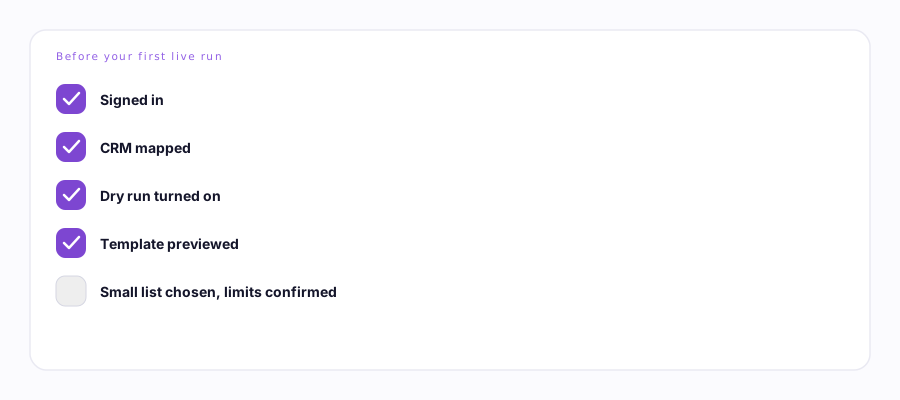
Five checks, in order. Takes about five minutes the first time.
- Sign in. Popup badge should read In CRM, not gray. If you're prompted for a two-factor code, enter it once — that's normal on a new device.
- Map your CRM. Open any lead and run Map My CRM once. This teaches Ervona where your Email button, subject line, and Send button actually live — it takes about 30 seconds and only needs doing once per record type. How mapping works →
- Turn on Dry run. Settings → Engine rules → Dry run. With this on, Ervona fills in every field exactly like a real send but never presses Send. Nothing goes out, nothing gets logged as sent.
- Verify your template. Read it back with a real name and company filled in — check Settings → Templates for the preview. A merge field that's spelled wrong shows up as literal text ("Hi {{frist_name}}"), not an error.
- Choose a small list. Five to ten records you know well, ideally ones you wouldn't mind actually reaching. Not your full pipeline.
- Confirm your limits. Settings → Engine rules shows your batch size, delay between sends, and daily cap. Nothing to change here for a test — just know what they are before you turn Dry run off.
- Turn Dry run off, and send 3-5 for real. Watch the activity log the whole way. Every record narrates what it did and why. If all 3-5 look right, you're ready for a full list.
What "looks right" means. The right name, the right company, the subject line filled in, and a status in the activity log that matches what actually happened on the record (a status move, a note, a real send — not a skip you didn't expect).
If a real send goes to the wrong place during this test, don't panic and don't send more. Turn Dry run back on, check your mapping, and read what to check or email support@ervona.ai with the activity log.