Start here
Up and running in 10 minutes
Ervona is an AI sales assistant that works inside your CRM, on the same screens you already use. There's nothing to connect and no setup project. Here's the whole thing, start to finish.
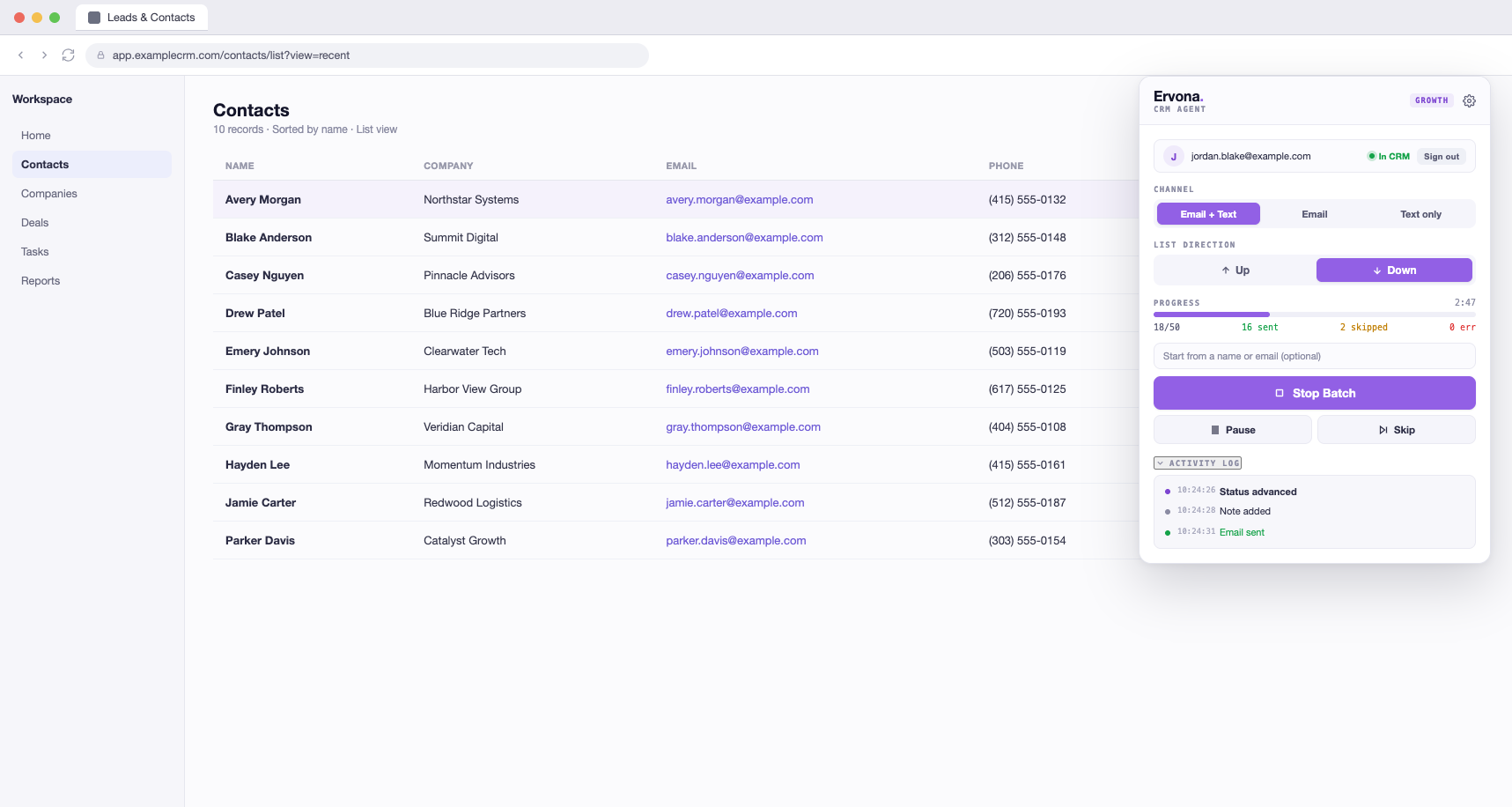
This is Ervona mid-batch, docked over your CRM. You can watch every email, text, and note as it happens.
- Install and sign in. Add Ervona from the Chrome Web Store, click the little Ervona icon next to your address bar, and sign in. Your setup follows your account. Sign in on a new computer and everything's there.
- Open your CRM. The badge in the popup turns green: In CRM. That means Ervona can see the page.
- Show it your buttons. Open any lead and click Map My CRM. Ervona highlights each thing it needs (your Email button, the subject line, Send) and you click them once. Takes about 30 seconds. Here's how →
- Write your email. In Settings → Templates, write it once. Ervona fills in each person's name and company automatically. Here's how →
- Test it safely. Turn on Dry run in Settings → Engine rules. Now press Start Batch on a list. Ervona fills everything out but never presses Send. Watch a few records. Like what you see?
- Go live. Turn Dry run off and press Start again. Emails go out, notes get logged, statuses move forward, and the activity log tells you exactly what happened to every lead.
You don't have to babysit it. Switch tabs, answer messages, grab coffee. The batch keeps running. The popup finds it from anywhere.
Free forever, really: 50 emails a day, no card. When that's not enough, plans raise the limit. See Plans & billing.