Plans, in plain English
Start free, upgrade when the limit pinches, cancel whenever. Current prices are always at ervona.ai/pricing.
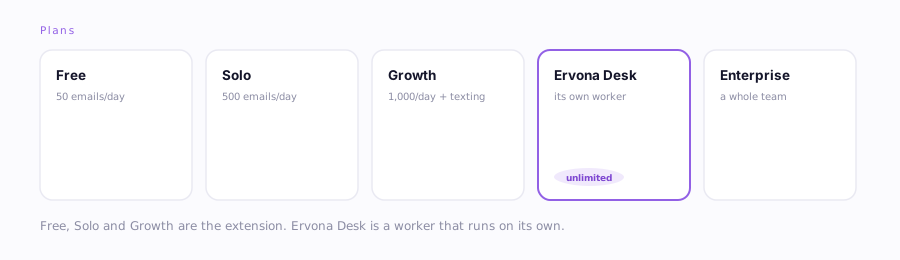
| Plan | What you get |
|---|---|
| Free | 50 emails a day, forever. No card. Enough to prove it works on your own list. |
| Solo | The extension for one person. 500 emails a day, email only. |
| Growth | The whole extension. 1,000 emails a day, a follow-up text after each email (or text-only campaigns), Stage Sync, full reporting, and priority support. |
| Ervona Desk | Not a bigger plan, a worker. Its own mailbox, number and CRM connection, working your list with nobody logged in. Unlimited emails and texts with ceilings you set, Stage Sync, a full analytics dashboard (activity and reply-rate trends, a worked-to-booked funnel, best send hour, subject-line winners, an A/B test on your first touch, and per-mailbox sender health), a compliance export, and an optional sign-in PIN. One login, one person. |
| Enterprise | A whole team: a seat for every rep, each with their own login. An admin console to provision, cap and pause, per-rep reporting across the org filtered by region and exportable to CSV, and an activity log of every admin action for your auditors. Setup help, one bill. Talk to us. |
Why two groups? Free, Solo and Growth are the Chrome extension: you are sending, and Ervona makes you faster. Growth also lets you connect the mailbox you already send from, so your reports show which emails actually got replies. Ervona Desk is a worker that keeps going with nobody logged in: it gets its own mailbox, number and CRM connection, prospects a list for you, and answers your own mailbox too. They are different jobs, so they are different purchases.
Good to know
- Routing a warm lead across several reps is Enterprise. Round-robin, assignment rules and per-rep calendars decide which of your people owns a lead, which needs a team to route between. On Ervona Desk every warm reply comes to you, and you can run as many desk personas as you like.
- Every plan works one CRM org. You can switch orgs anytime. See Map My CRM for what that resets.
- Limits count the last 24 hours, so there is no reset hour to wait for. Each send frees itself back up 24 hours after it goes out, the way an allowance should work when your day does not end at midnight. The popup shows what is left.
- Upgrading is instant: pay on the website, and the extension notices within the hour (or press Refresh in Settings → Account).
- Already paying? A price change never moves an existing subscription. You stay on the price you signed up at until you change plan yourself.
Change or cancel
Go to ervona.ai/account → Manage billing. Update your card, switch plans, or cancel. It takes effect at the end of what you've already paid for. No calls, no "retention specialist." Enterprise seat changes go through sales@ervona.ai, the same place that sets your account up in the first place.
Wondering whether Ervona Desk is worth it before you commit? See the 30-day guarantee.